fring for iPhone updated: Bugs taken care off!
It’s been a busy weekend at the fring HQ. We would like to thank you all for your inputs, feedbacks, kind words and bug reports, Keep them coming.
After reading hundreds of mails, here’s a few things I thought we should point out:
1. The annoying “dot in the Email” bug -
So this is now a known bug that prevented some users from registering. We are working on it and will issue a solution ASAP.
In the meantime you have a few options:
- If you’re using gmail you can drop the dot and register as abcd@gmail.com instead of ab.cd@gmail.com - gmail supports this kind of modification to the user name.
- If you’re not using gmail you can leave this field empty and register with no Email address. Please write down your user ID and password since you won’t have an option to retrieve your password at a later stage.
We are already working on a fix to this bug - it should be available on the App Store in the next few days.
2. “Call terminated” on Skype and SIP
In most cases you’ll get this error when trying to make a call to a not recognized number. In order to make a successful call you should enter the number in its international format, for example:
For the US dial +1XXXXXXXX or 001XXXXXXXX
For the UK dial +44XXXXXX or 0044XXXXXXXX
But the best way to make an ‘Out’ call is by choosing a contact from the address book (Apple inc. in this example) –> Choose the type of call (SIP or Skype Out) –> Here you’ll have a chance to edit the number so it will fit the international format –> Click ‘OK’ and you’re done.

Please make sure you’re fully loggen in to Skype when trying to make the call, during the peek time this might take 2-3 min.
I’ll get back to my Emails now, we’ll be back here with more tips and tricks. Keep the feedback coming and thanks for your support.


fring for the iPhone & its official!
We’ve been listening really closely to your input, suggestions & insights on the pre-release version and together with some supportive recommendations like “please code faster !!!”  we are happy to release fring for iPhone on the App Store (Supporting the iPhone and the new iPod touch devices).
We’ve added many new features to this version including ‘history tab’, ‘privacy settings’, ‘easy dialing from the main buddy list’ and many bug fixes.
This is a brand new, straight from the oven fring version (V1.0.1.4) The pre-release version is no longer available.
Have a great day
p.s We highly appreciate your feedback and insights, so as always, keep them coming!
The fring team
Smooth fring chatting on the iPodtouch
Following the awesome success of fring on iPhone and the many users who also downloaded fring onto their iPod touch (even though it was not designed for it), you asked and we delivered… fring has been tweaked for smoother, better chat on the iPod touch! (using the iPhone version….lol)
Just like the original version created for the iPhone, this is the same special pre-release R&D version with some chat bugs fixed so now you can mobile internet chat & interact in fring-style on your iPod touch (I know I am stating the obvious… but as there is no Microphone the iPod touch…. it means no fring calls as well).
More info on what you get and how to get fring for iPhone & iPodtouch at the fringcubator (fring lab).
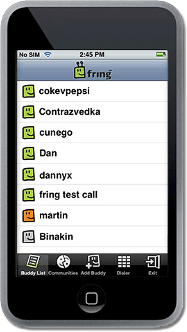
P.S. Thanks for your flood of requests pushing us to optimize fring for iPhone so it works better on the iPod touch too - please keep your suggestions and feedback coming! We love the challenge and our R&D team doesn’t really need to sleep anyway. 
Updated fring version for iPhone (pre-release v. 0.9785)
News for ya iPhone users out there. Firstly we’d like to thank you for your valuable feedback, we have started ‘ironing out’ bugs in the fring for iPhone pre release version.
There is a new version for you to play with (version 0.9785) which addresses the following:
1. Issues resulting in deleted SMS (additional QA work on our side still in progress)
2. Incoming SIP calls are also available with this new version
Important: to update your fring version DO NOT uninstall current version (well you can, but then you will need to retype your fring login information) Simply go to the ‘installer’ and get the updated fring version from the ‘updates’ section.
Again, your feedback, suggestions and insights on the product are a huge help, and are truly influencing the R&D process, and helping us in improving fring for iPhone.
Keep those suggestions flowing in … we are glad to address them all. 
fring now on your iPhone - a World First - Period!
OK. So if you’re one of the first lucky fellas to get your hands on an iPhone, you just got even luckier. We’ve just made a special pre-release R&D version of fring for your iPhone - a mobile VoIP app publicly available for the iPhone?…yep that’s a world-first!:-)
This special pre-release version of fring, developed in conjunction with the Holon Institute of Technology academic research labs is a direct response to iPhone users kicking our behind to get fring for their COOOOOL devices. Part of the objective here (besides getting you all excited with fring for iPhone) is to get feedback prior to release of the full-feature version and create a truly superb user experience for iPhone users. So feel free to let us know what you think (…and be as honest as you like – we can take it! )
More info on what you get and how to get it at the fringcubator (fring lab).
…it’s fringing iPhone freedom!