Southafrica

Posts Tagged ‘iphone’

New iPhone/iPod version: New look, profiles, copy paste and links

Saturday, October 10th, 2009

fring’s latest iPhone & iPod touch version (2.0.0.4) is now available on the App Store, with a new look, more integration between social networks, improved voice and much more!

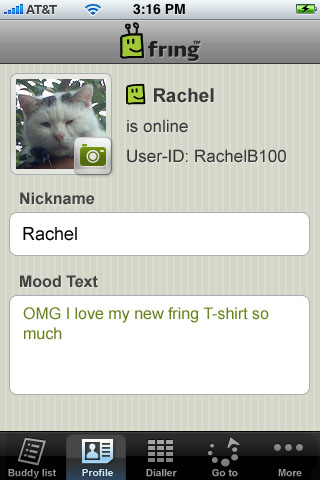
The new version includes a new user profile, which allows you to update your fring nickname, avatar and mood text, and broadcast it back to your IM friends. You can also see your friends’ avatars and mood texts from other networks – currently on Skype, others coming soon.

You can also now use SkypeOut & SIP to call your friends directly from the fring address book with a much clearer line thanks to our voice team’s big effort to improve voice quality!

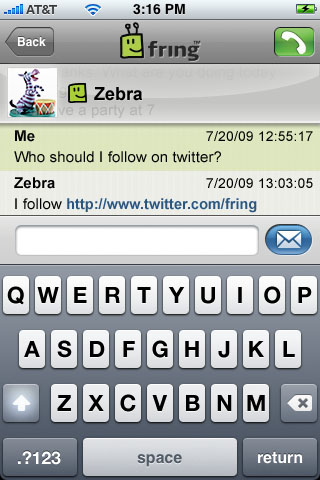
If that’s not enough we added- copy/paste & linking capabilities to save you time while chatting away with your friends and speakerphone support for all voice calls.

German users, we got some great news for you too – fring on iPhone/ iPod touch is also now available in your native language!

YouTube Preview Image

As you can see, we’ve been busy fringbees – improving features, introducing new capabilities and always staying ahead of the pack to continue being the ultimate social community hub for your iPhone/ iPod touch.
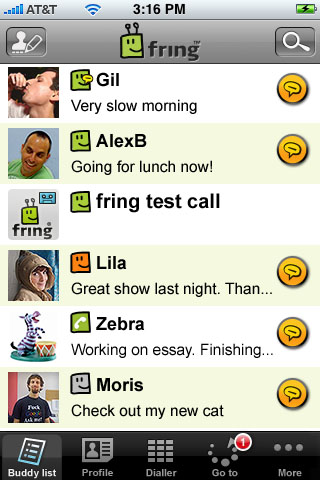
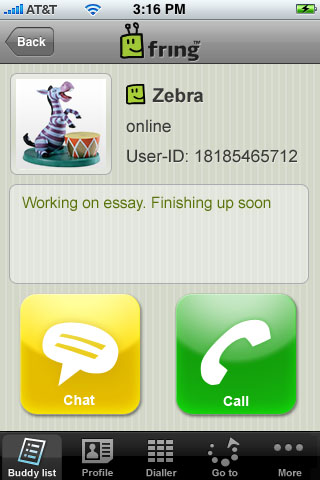
iPhone_buddy-list iPhone_profile
iPhone_chat iPhone_my-profile

So go get the new version today and as always, feedback is much appreciated!

The fringTEAM
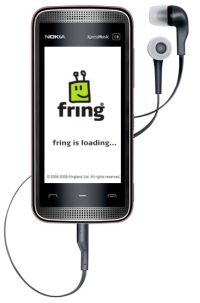
Introducing the fringing Nokia 5530 XpressMusic

Friday, August 28th, 2009

fringsters put your hands together for the one and only Nokia 5530 Xpress Music.

Nokia_ Announce_5530_XpressMusic_fring

This sleek and sexy Nokia handset is now officially available in South Africa and we are excited to announce that fring already lets you take your friends mobile with this great new Nokia device.

Although “Nokia might have been late to the touchscreen game,” it sure is “making up for lost time now by following up the successful 5800 XpressMusic and N97 with the budget 5530 XpressMusic.”

Most of the western world is abuzz after Apple recently introduced the Apple iPhone 3Gs. Here in Africa though things are different. Most of us cannot afford the high tech gadgetry on offer from Apple. I mean lets face it, most people here in Africa are just looking for something cool yet low cost which will do the job and boy oh boy does the Nokia 5530 do just that.

Nokia last night together with the launch of the Nokia 5530 and 5630 Xpress Music also launched “Comes with music.” “The service, which offers consumers a year of unlimited access to the entire Nokia Music Store catalogue, is now available in South Africa. Comes With Music devices enable the consumer to download an unlimited number of the over 5-million digital tracks available on the South African Nokia Music Store http://music.nokia.co.za for a one year period. In addition, the consumer is able to keep all their downloaded music from the diverse catalogue of international and local artists - even when the service period of one year is over – on both their Comes With Music device and dedicated PC.”

This is why in my humble opinion, companies like Nokia will always have market share in Africa. They are making sure that people of all walks of life are able to groove to the beat on a sexy touch screen device. Thank you Nokia ;-)

fringsters if you happen to be one of the lucky few who already has your hands on the Nokia 5530 what are you waiting for download fring today. If you are still thinking of upgrading to a new device, think no more, head over to your nearest cellphone dealer and grab yourself one of these beauties while stocks last.

YouTube Preview Image

Note: I will review the Nokia 5530 more closely in the coming weeks.

Smartphones sales booming world wide

Tuesday, August 18th, 2009

During the 2nd quarter of what has probably been the worst year for global economies it is good to see that smartphones sales world wide are still booming with over 41 million handsets shipped. This is but a small number when you think that during the same time 228 million regular ‘junky’ handsets were shipped world wide.

During this quarter Apple reportedly sold 5.2 Million iPhone handsets, while Nokia reported sales of 5 million E71 and 6.8 million 5800 Xpress Music handsets, RIM sold around 8 million BlackBerries.

It’s going to be interesting to see how the fring family grows in the next few months as more and more people start to investigate the cool features of their newly aquaired smartphone handsets. We look forward to welcoming the 41 million new Smartphone users world wide to the fring family ;-)

Feature highlight: Push notification

Saturday, July 25th, 2009

So, you’ve all been very excited about the new ‘Push notification’ we released last week but since it’s a new feature on the iPhone 3.0 firmware some of you had a few questions about it. So let’s dive in and explain it a bit further:

Using the new Push Notification capability, you can now be notified when you receive a call or a chat when fring is not running.

Note: Push Notification is only available on firmware version 3.x or newer. If you are using an older firmware version, you can use the “Always-on” add-on.

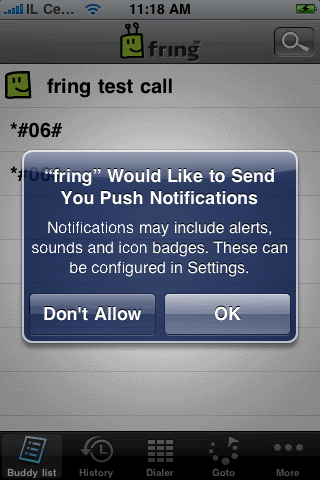
Once you register to fring and run it for the first time, you will see this message on your screen:

IMG_0023

Choose OK and your contacts will continue seeing you as ‘online’ once you exit fring and will be able to send you chat messages and to call you.
Choosing Don’t Allow will dismiss this window and you will not get notifications.

Note: Once you exit fring, your contacts will see you online and you’ll be available for the next 6-8 hours. We’re still fine tuning this period based on your feedback.

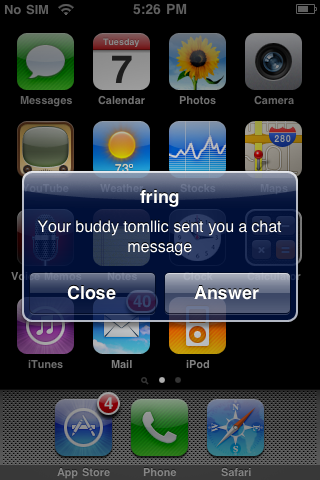
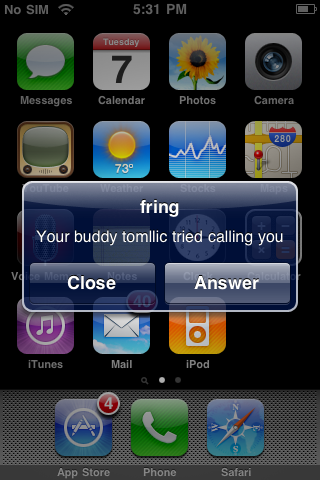
When a contact will send you a chat message or try to call you while out of fring, you’ll receive these notifications:

IMG_0019 IMG_0021

If you choose Answer, fring will launch and these windows will follow:

IMG_0020 IMG_00233

Note: if you choose Close, you will not be available any longer and your contacts will see you offline until the next time you launch fring.

Temporarily disabling Push Notification

If for some reason, you don’t want that your contacts to see you online when fring is not running, you can temporarily disable Push Notification. Just open fring, click on More –> Go Offline –> click Offline again. Quick & easy.

Well, seems that we covered most of this feature. If you have any questions feel free to post them here and we’ll be happy to answer them.

The fringTEAM

How to install fring on iPhone/iPod touch [friends finder week]

Sunday, July 19th, 2009

fring is available to download from the Appstore, completely free!

Go to the AppStore and search for fring.

Once the download is finished, a fring icon will appear on your iPhone/iPod touch desktop. Tap on it.

This will take you to the “Account setup” screen.

If you are a new user- choose “New user”. In case you’ve actually registered to fring in the past, no matter with which device, choose “Existing user” and login.

Now you are ready to fring- a- way.

Enjoy!

The fringTEAM

New fring iPhone version with Push Notification

Friday, July 17th, 2009

As recently announced by Apple, the new iPhone 3.0 software update has a great new feature- Push Notification. The Notification was created so dynamic applications such as fring, can keep running in the background even when you’re not logged on.

What does it do? When you log out of fring, it keeps you in “online” status so your buddies can contact you, and you can choose whether to respond to an alert notifying you that someone is trying to chat, call, send you files, etc.

How does it work? Whenever someone calls/chats you, you’ll receive a beep sound, as well as a pop-up window, telling you that your friend is trying to contact you. Once you click on that pop-up window, it’ll log you back into fring and take you straight to the relevant window.

How do you register? Push Notification is enabled by Apple itself; once you download the new version, you’ll be asked whether you’d like to enable this option for fring, click ‘enable‘ and you’re ready to go.

If you choose to temporarily disable this option you can simply click on ‘more‘ and then on ‘go offline‘; so once you log out of fring, Push Notification will be disabled, until next time you log in.

So go get the new version now and let us know what you think!

Note: If you’re using a prior firmware version (such as the 2.2) you can still use the ‘always on’ add on, released a few months ago.

The fringTEAM

New fring version for iPhone/iPod Touch (1.2.0.4)

Monday, July 6th, 2009

fring’s new iPhone & iPod touch version , hitting the App Store today is aimed to improve the voice quality for fring VoIP calls. The new version also provides better connectivity and other quality improvements, all contributing to an even better fringing experience!

As some of you might have noticed, originally this latest version was to include Apple’s new Push Notification feature, which was later disabled due to some technical difficulties and will be available on fring’s next iPhone version, currently submitted to the AppStore. Stay tuned!

So go get the new version now and let us know what you think.

fringTEAM

Page 2 of 6«12345»...Last »