


So, you’ve all been very excited about the new ‘Push notification’ we released last week but since it’s a new feature on the iPhone 3.0 firmware some of you had a few questions about it. So let’s dive in and explain it a bit further:
Using the new Push Notification capability, you can now be notified when you receive a call or a chat when fring is not running.
Note: Push Notification is only available on firmware version 3.x or newer. If you are using an older firmware version, you can use the “Always-on” add-on.
Once you register to fring and run it for the first time, you will see this message on your screen:
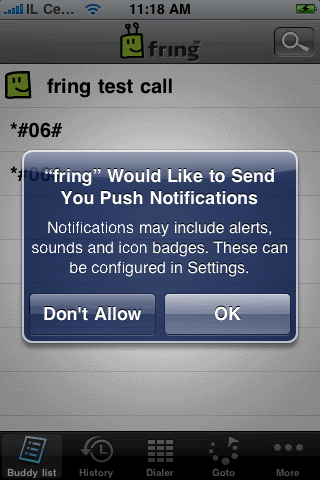
Choose OK and your contacts will continue seeing you as ‘online’ once you exit fring and will be able to send you chat messages and to call you.
Choosing Don’t Allow will dismiss this window and you will not get notifications.
Note: Once you exit fring, your contacts will see you online and you’ll be available for the next 6-8 hours. We’re still fine tuning this period based on your feedback.
When a contact will send you a chat message or try to call you while out of fring, you’ll receive these notifications:
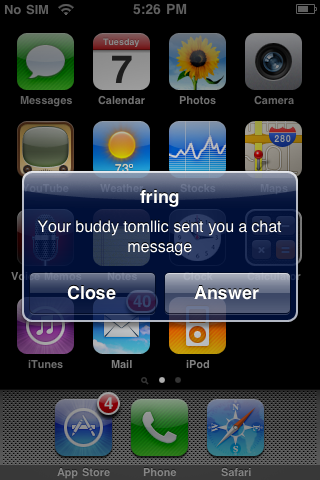
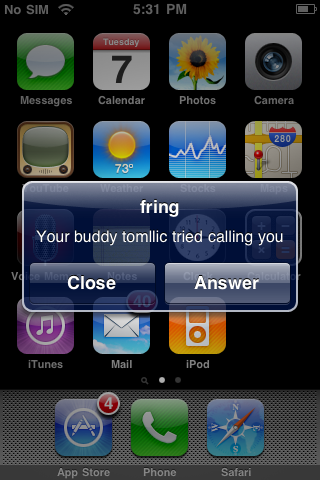
If you choose Answer, fring will launch and these windows will follow:
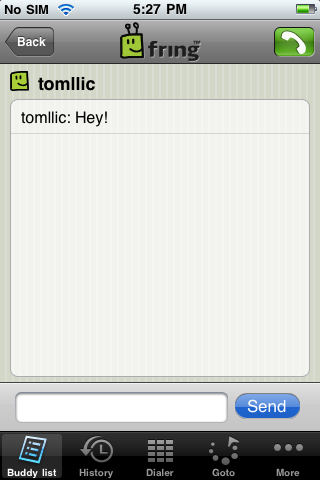
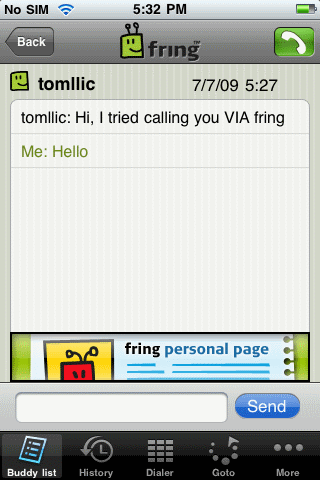
Note: if you choose Close, you will not be available any longer and your contacts will see you offline until the next time you launch fring.
Temporarily disabling Push Notification
If for some reason, you don’t want that your contacts to see you online when fring is not running, you can temporarily disable Push Notification. Just open fring, click on More –> Go Offline –> click Offline again. Quick & easy.
Well, seems that we covered most of this feature. If you have any questions feel free to post them here and we’ll be happy to answer them.
The fringTEAM
Tags: fring, iphone, push notification


