Category ArchiveApril fools day
April fools day admin on 01 Apr 2010
Distance Mobile Camera Activation- coming to fring soon!
UPDATE: ok, as some of you already guessed this is not real. It’s time to approve all the comments 
Ever thought how cool it’d be to be able to control someone’s mobile phone even from a distance!?
Nowadays, people can heat up the house before they get home, check their fridge contents while shopping at the grocery store and record their favorite shows while away, on vacation; and now, with fring’s upcoming version they will be able to activate their friends’ phones from the distance!
As you know, a few months ago, fring’s released the world’s first mobile video calls over internet for iPhone/ iPod touch and Nokia S60 devices. For the last few months, fring’s developers have been hard at work even improving that experience.
Now, with fring’s upcoming version, you will be able to activate your friend’s mobile phone camera!
This new feature will let you surprise your Mom with a live birthday greeting, join a friend while they are on the go, the possibilities are endless… (we’ll let you get creative with this )
Want to be amongst the 1st in the world to enjoy this brand-new, ground- breaking feature!? Simply send us a compelling reason why you deserve to get to preview this and what’d you use it for?
The most creative users will get to try the feature 1st hand, so hurry up and send in your entries today! Happy fringin’!
The fringTEAM
April fools day admin on 01 Apr 2009
Get vocal with the new Voice URL fring Add-on
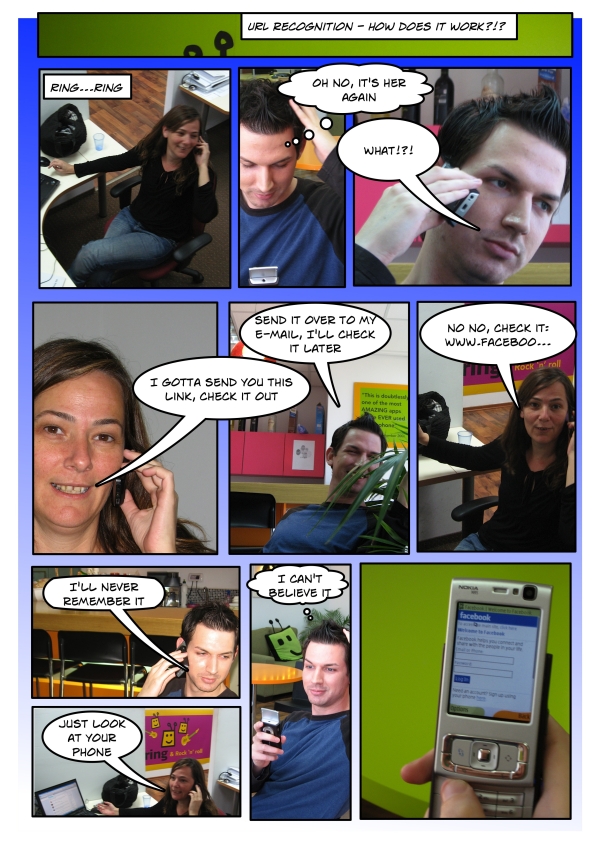
Only 2 days after the twitter 2.0 add-on, we’re very excited to let you know about a new fring add-on that recognizes a spoken web address (URL) and opens the desired website without any finger work at all!
It’s based on a new patented voice URL recognition software called VURL that upon command turns the spoken URL into text, opens a browser on your phone and then automatically opens the desired web site.
The patented VURL software based on the GNIRF protocol (Geo Narrative Internet Recognition features) identifies regularly used speech patterns such as the phrase “www-dot” as a way of initiating a desired action, in this case opening a website.
Now here’s where you come into this. We’d really appreciate your help to make this feature available to all of our millions of fringsters worldwide by optimizing the software to recognize the “www-dot” speech pattern for as many accents and dialects as possible. You can help us achieve this by recording and sending us a sample of your voice. Use your normal voice, accent and speaking speed - just follow this example.
[Example taken off... you got the joke, right? ]
Remember to state your country of origin at the end of the recording. Then please email the recorded file to the: VoiceURL@fring.com
As always, we’d love to hear your feedback… and thanks for your help!
fring Team
April fools day admin on 01 Apr 2008
The Eyes Have It with fring

Improved Security with new mobile iris recognition software eyefringTM
fring has just incorporated a cool new security feature for your mobile device using Iris Recognition software similar to that recently deployed by passport agencies, airports, and other secure institutions. eyefringTM helps fringsters maximize the security of personal data stored on their mobile phone and given out over the mobile internet.
eyefringTM uses the Global Network Iris Recognition Feature protocol (GNIRF) enabling you to replace your normal login credentials of user name and password, with a digital image of the user’s iris, stored on the phone.
To register and get more information on the benefits of using eyefringTM, simply follow the following three steps:-
Step 1: Take a clear photograph of one eye (either eye) with a phone camera or regular digital camera.
Ensure the image of the entire eye fills the frame & remains within the border of the photograph.

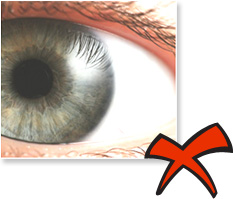

IMPORTANT NOTE: Disable flash on camera or phone as this will produce Red Eye distortion which the software will automatically reject.
Step 2: Email the digital image to iris@fring.com Please include your fring nick name and mobile telephone number (including international dial code) in the body copy of your email.
Step 3: Within 48 hours you will receive an SMS giving instructions on how to download the new eyefringTM feature for fring. Click on the link as usual to install then go to Privacy Settings and click Enable Iris Recognition.

From time to time, the eyefringTM software will prompt you for an iris picture using your phone camera, and automatically check its database for a security match.
You will be able to use these images for online transactions with thousands of online retail sites worldwide who are expected to integrate the GNIRF protocol and technology into their billing systems - just another example of fring helping its users to enjoy a little more fringing freedom!
Look forward to eyeing you up soon!